Most contractor profiles we open have the same hole in them. The category is set, the hours are right, there are a handful of photos, and the Services section is blank or has one broad entry sitting in it. That section is where you tell Google the exact jobs you do, and filling it in costs you nothing but an hour.
What the Services Section Actually Tells Google
Your primary category names your trade. It says plumber, or roofer, or painter. Your Services list names the jobs: water heater replacement, deck repair, cabinet refinishing, slab leak detection.
That second layer is the one that matters for job-level searches. When someone types "tankless water heater installation near me," they want a local plumber who does that specific job. A profile that lists Tankless Water Heater Installation gives Google a direct match. A profile that only says Plumber leaves Google to guess.
There is a human side too. Somebody scrolling your profile in Maps is looking for the thing they need. If they do not see it, they back out and open the next listing.
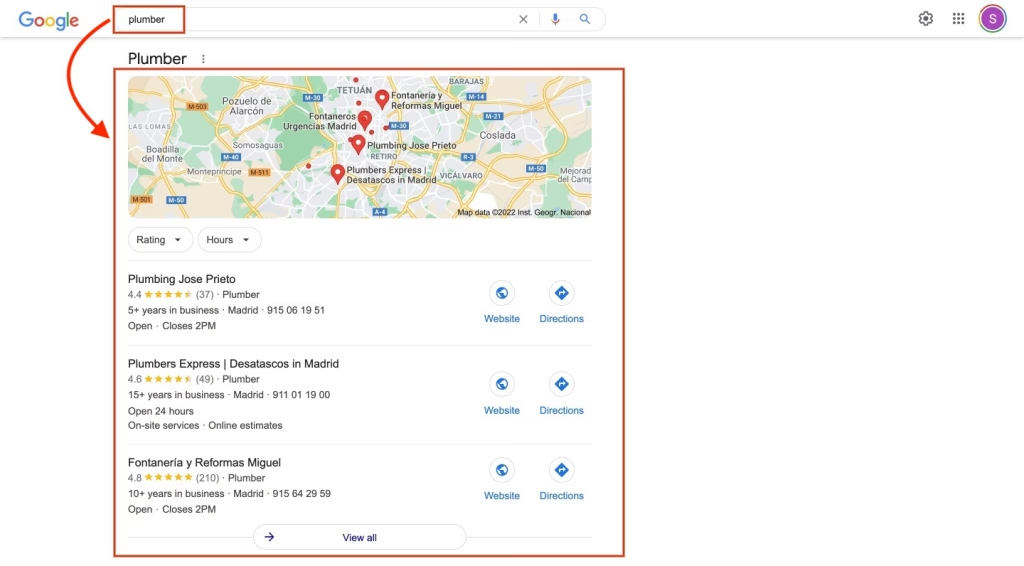
The Short Version
Your category names your trade. Your Services list names the jobs. Fill it with the exact service names your customers use, keep it honest, and make sure your description, photos, and service area tell the same story.
Pull Your Service Names Off Your Own Invoices
You do not need keyword research for this. Open your last twenty estimates and invoices and read the line items. That is the language your customers already use, and it is usually close to what they type into Google.
Pull out the real job names: asphalt shingle roof replacement, furnace repair, interior painting, patio cover installation, epoxy garage floor coating. Each one goes in as its own service entry.
- Skip catch-all labels. "Home services" and "general repairs" do not line up with anything a homeowner searches.
- Skip services you do not actually want. Listing a job to be thorough means the phone rings for a job you will end up turning down.
- Do not bundle. One entry that reads "roofing, gutters, and siding" is weaker than three separate entries.
A homeowner with water coming through the ceiling is not searching "roofing services." They are searching "emergency roof repair near me." Write the entry the way the emergency sounds.
Write Descriptions That Name the What, the Where, and the Who
Each service gets a short description. Keep it in plain English and cover three things:
- What the service is in the words a customer would use
- What is included so the description is doing real work
- Who it is for and where you do it
Something like "Emergency AC repair in San Clemente for homes and small businesses, same day when we have the part on the truck" tells Google the what, the where, and the who. "We offer expert repair services" tells it nothing.
Also make sure each service actually fits the category it sits under. A service that has nothing to do with your primary category is a mixed signal, not a bonus.
The Rest of Your Profile Has to Say the Same Thing
A filled-in Services section works when the rest of the profile agrees with it. The three places to check are your primary category, your business description, and your service area.
Your business description should name your main services and the cities you actually work in, in normal sentences. No stuffing, no lists of every town in the county.
Your service area should be tight and real. If you are based in San Clemente and your trucks run Dana Point, San Juan Capistrano, Capistrano Beach, and Laguna Niguel, set those. Claiming all of Southern California blurs the picture of where you work, and it does not win you jobs in Pasadena anyway.
| Profile Element | Weak Setup | Strong Setup |
|---|---|---|
| Services | Blank, or one broad entry like "Construction" | Individual entries that match the work you actually invoice |
| Service Area | A whole state or a huge radius | The specific cities your crews really drive to |
| Business Description | Vague, could belong to any trade | Names your core services, your specialty, and your cities |
| Photos and Posts | Stock images, nothing added in a year | Real jobsite photos and regular project updates |
| Lead Quality | Price shoppers and wrong-fit calls | People asking for the exact job you wanted |
Photos and Posts Have to Back the List Up
If your profile lists kitchen remodeling and every photo is a stock image, the list is a claim with nothing behind it. Real jobsite photos show the work is current and that you actually do it.
Caption them simply. Service name plus the city, the way you would say it out loud: "Cabinet refinishing in Dana Point." A short post after a finished job does the same thing and takes two minutes on the truck.
Put a Quarterly Review on the Calendar
This is not a set-and-forget field. Every three months, read the list back and ask whether it still matches what you are selling.
The seasonal swing in South Orange County is milder than most of the country, but it is real. Exterior painting, deck work, and patio jobs pick up in spring. Heater checks come up in the fall. If you dropped a service, take it off so the profile stays accurate.
Questions We Get
How many services should I add?
Every specific service you actually want to be hired for, listed on its own. There is no prize for a short list, and there is no prize for padding it with work you do not want.
Can I use city names in service descriptions?
Yes, and you should, as long as it reads like a sentence. Name the cities where you regularly take jobs, not every city within fifty miles. A description crammed with town names reads badly to a customer, which is reason enough to stop.
What if Google does not have my exact service?
Google lets you add a custom service when its list does not cover you, so type in your own. Then back it up elsewhere: use the Q and A section on your profile to post the question a customer would ask, answer it plainly, and make sure your website service pages and your llms.txt file describe the same specialty in the same words.
Why This One Is Worth the Hour
Most of what moves a profile in local search takes months. This one does not. It is a field you can fill in tonight, and it lines your profile up with the searches you actually want, without touching anything else.
The contractors we work with who keep this section tight tend to get cleaner calls, because the person dialing already saw the exact job listed before they picked up the phone.